SaaS
ratl.ai/studio
ratl.ai/studio
(2024-2025)
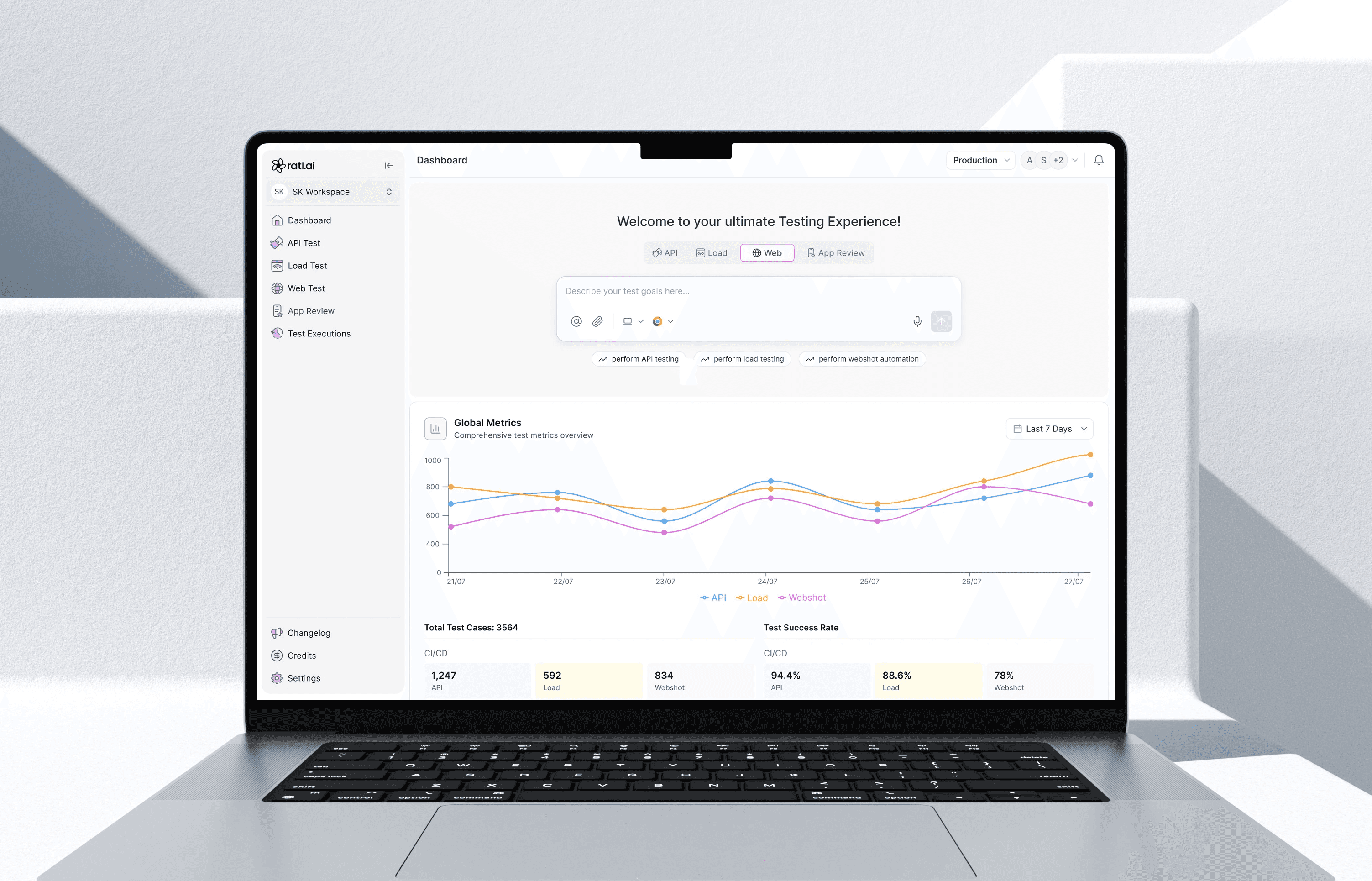
Lead the full design experience for ratl.ai, from concept to interface, as a seamless, visually immersive,
and engaging product
SaaS
Web
B2B
Role
Lead Designer
Services
Ux Design | Visual Design | Design system | Product Testing
Ux Design | Visual Design | Design system |
Product Testing
Context
ratl.ai is an AI-powered testing platform for project managers, engineering teams,
and new startup companies.
It uses AI agents to generate, execute, and analyse tests across web applications, APIs, load, and accessibility workflows. It also integrates with CI/CD pipelines to provide evidence-backed reports, videos, and actionable insights, enabling teams to release software faster with greater confidence.
Old User Experience
• Just numbers on the dashboard
• Missing clear guidance or direction, user has no idea of how to start

• The AI existed in the system, but its value wasn’t visible or easy to understand.
• The process felt long and technical, with too many steps and repeated inputs.
• Instead of feeling guided, creating a test felt manual and heavy.
• The report presented data, but lacked clear guidance on what mattered most and how to fix
problems, no guidance
User Insights

Problem
I noticed that using the dashboard itself was a major pain point.
While performing tests, there are too many manual inputs, unclear actions, and little guidance on what to do next.
As a result, very few users were exploring core features.
Approach
Before designing, I explored how AI-native products communicate autonomous work Claude AI, Manus AI, Cursor.
I was drawn to how they balance showing what the system is doing without overwhelming the user.
Two principles shaped the design:
Progressive transparency (show the agent's steps clearly) and Actionable output (every result should tell you what to do next).
Goal
My goal was to make testing simple and clear.
Reduce steps and confusion in the flow
Show test progress and results clearly
Make AI actions easy to understand, trust and visible to user
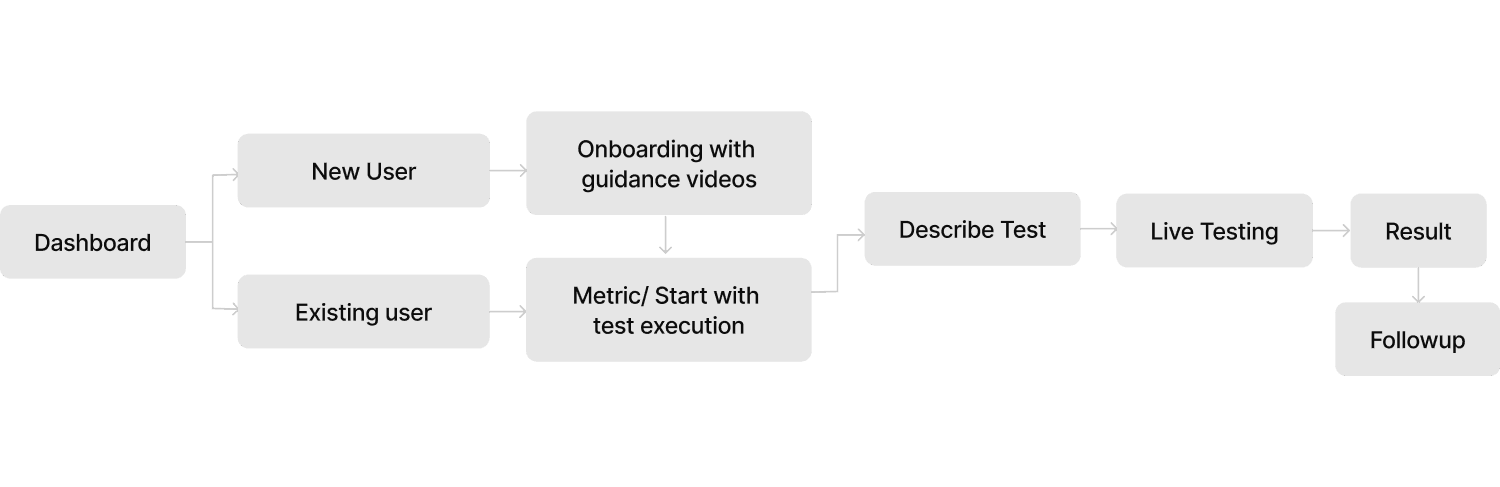
Task FLow
Design Shift
Design Shift
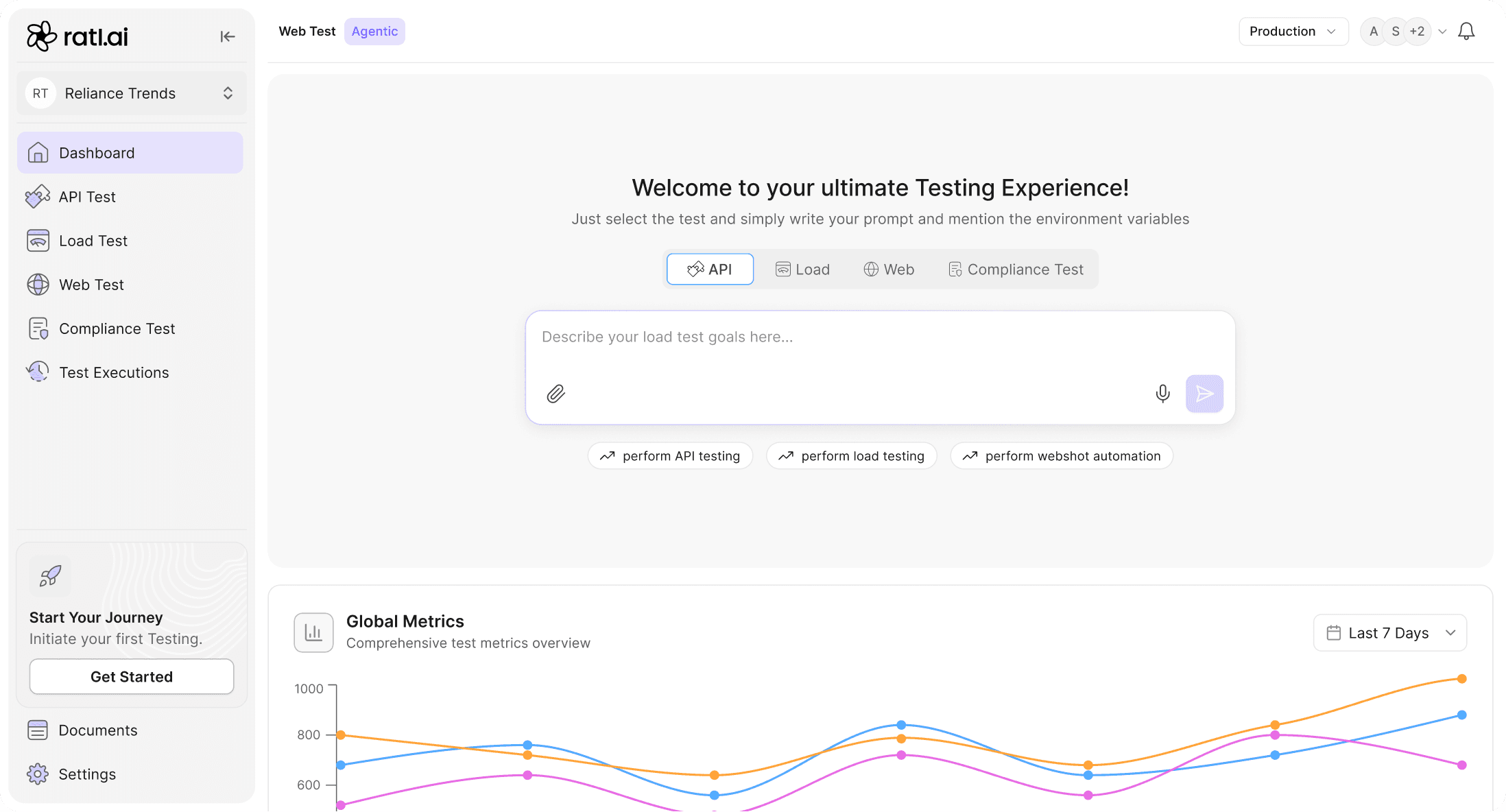

Centralised dashboard
Consolidates all testing functionalities into one cohesive space, reducing complexity


Moved from basic AI support to smart, chat-based testing
• One clear flow: goal→ plan→ run→ results
No scripts or technical setup
AI performs live testing with logs
Outcome: From writing scripts to autonomous testing driven by intent.

AI’s work visible
• Agents read the user’s goal, understand the intent, and explore the app to
break it into clear test steps.
• Agents generate a ready-to-run plan that users can review before execution
• Agents read the user’s goal, understand the intent, and explore the app to break it into clear test steps.
• Agents generate a ready-to-run plan that users can review before execution


Quick Actions
• ‘Add to Chat’ lets users instantly share findings, while Quick Actions help review
status, steps, or explanations
• Results aren’t just displayed they’re ready to act on
• ‘Add to Chat’ lets users instantly share findings, while Quick Actions help review status, steps, or explanations
• Results aren’t just displayed; they’re ready to act on

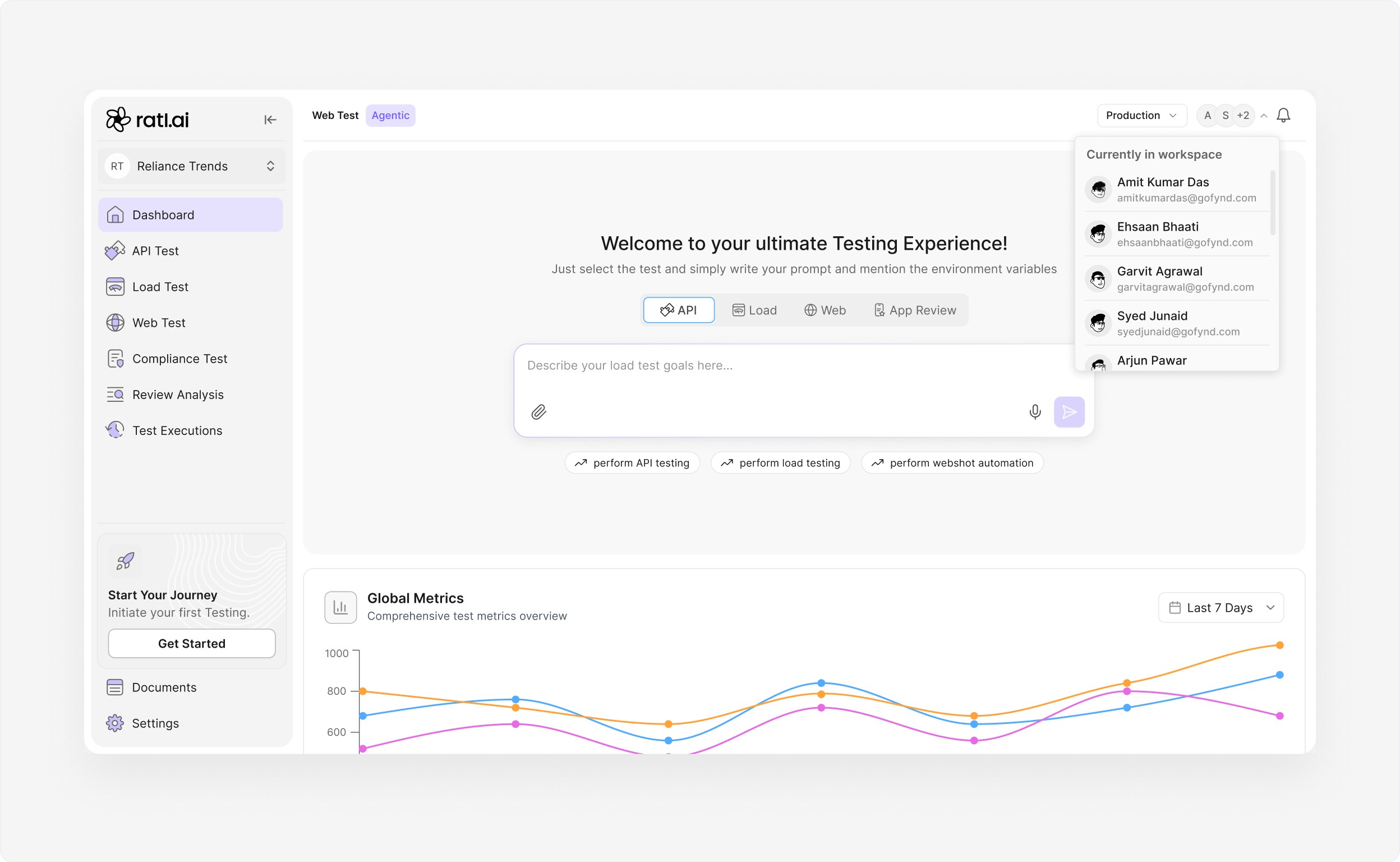
Active Users in Workspace
The goal of this section is to make workspace activity more visible and accessible, reducing communication gaps and encouraging a more connected workflow
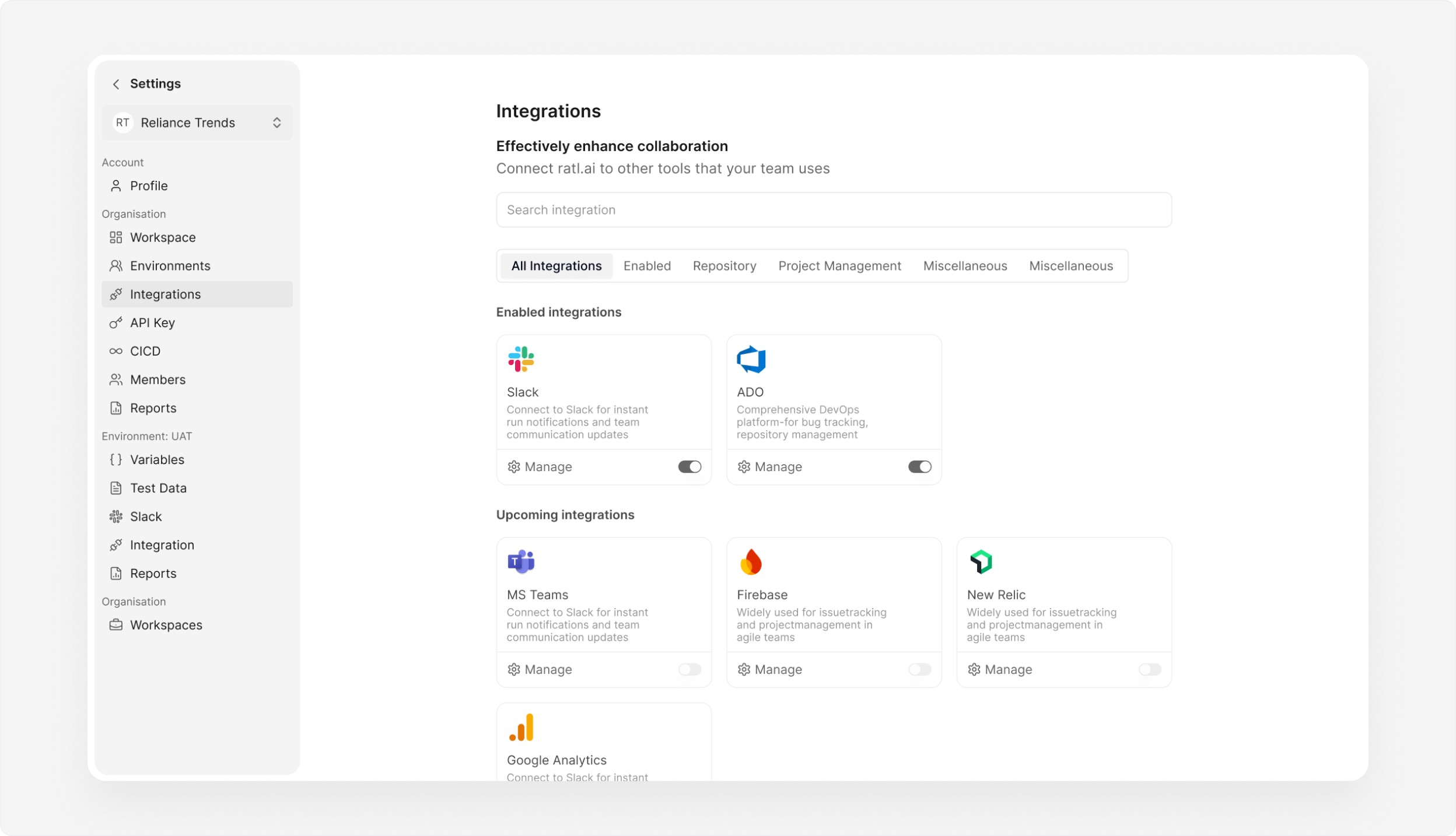
Integrations- Streamlining Collaboration
The goal was to simplify setup, reduce context switching, and create a unified experience where users could manage notifications, track progress, and communicate seamlessly
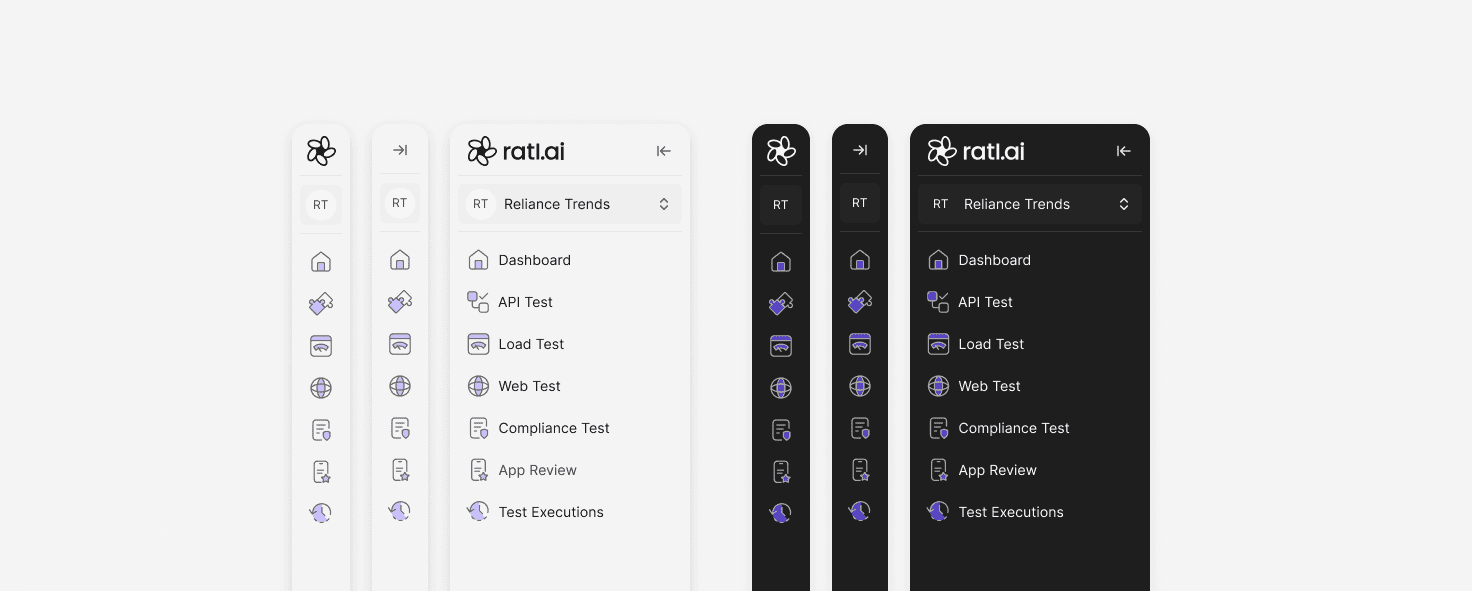
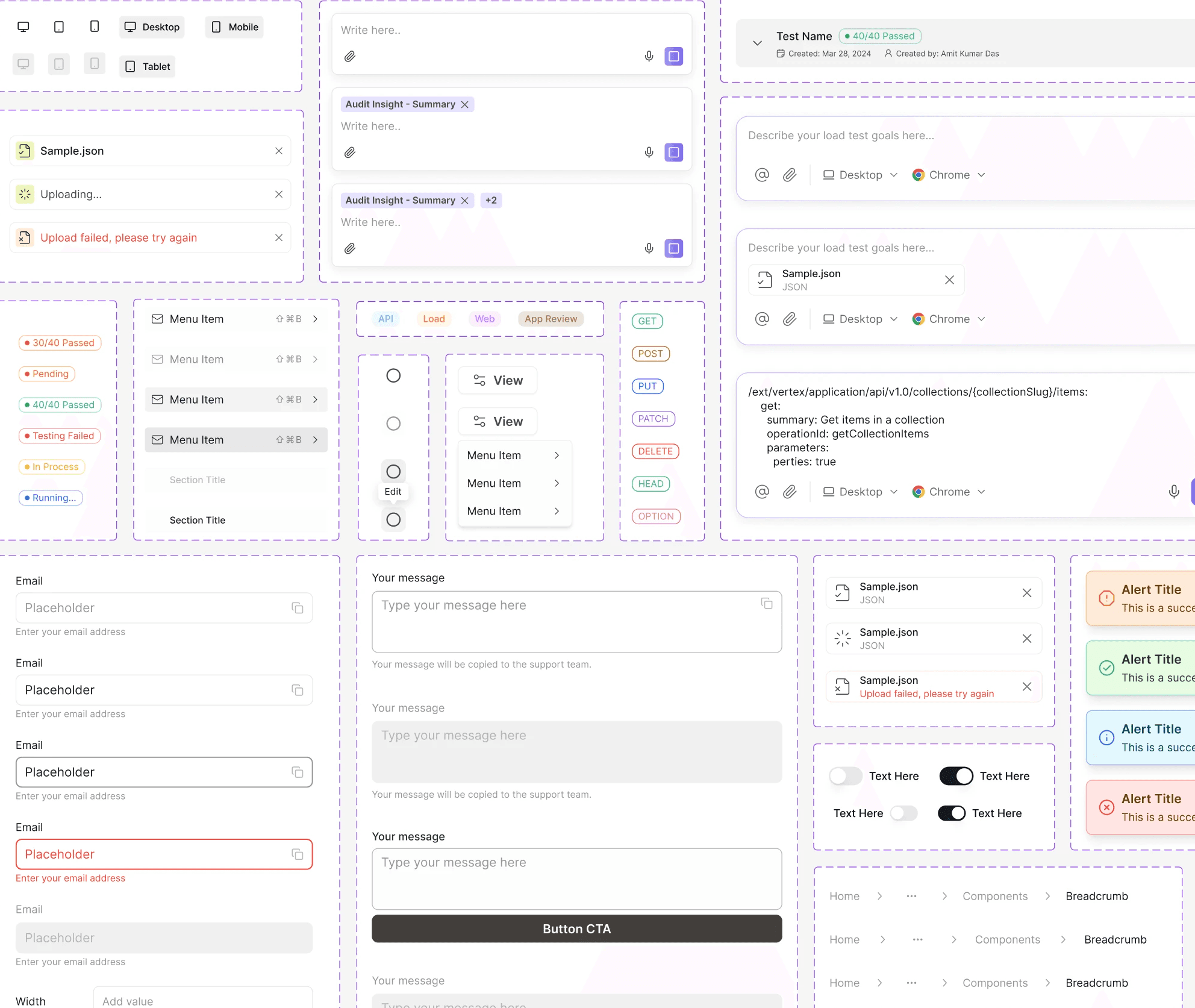
Design System
• Built on shadcn as the base library, customised for our product needs.
• It ensured consistency, scalability, and faster development across the platform.

This redesign simplified complex testing workflows, enabling developers and QA teams to release software faster with greater confidence.
SaaS
ratl.ai/studio
(2024-2025)
Lead the full design experience for ratl.ai, from concept to interface, as a seamless, visually immersive,
and engaging product
SaaS
Web
B2B
Role
Lead Designer
Services
Ux Design | Visual Design | Design system | Product Testing
Context
ratl.ai is an AI-powered testing platform for project managers, engineering teams,
and new startup companies.
It uses AI agents to generate, execute, and analyse tests across web applications, APIs, load, and accessibility workflows. It also integrates with CI/CD pipelines to provide evidence-backed reports, videos, and actionable insights, enabling teams to release software faster with greater confidence.
Old User Experience
• Just numbers on the dashboard
• Missing clear guidance or direction, user has no idea of how to start
• The AI existed in the system, but its value wasn’t visible or easy to understand.
• The process felt long and technical, with too many steps and repeated inputs.
• Instead of feeling guided, creating a test felt manual and heavy.
• The report presented data, but lacked clear guidance on what mattered most and how to fix
problems, no guidance
User Insights

Problem
I noticed that using the dashboard itself was a major pain point.
While performing tests, there are too many manual inputs, unclear actions, and little guidance on what to do next.
As a result, very few users were exploring core features.
Approach
Before designing, I explored how AI-native products communicate autonomous work Claude AI, Manus AI, Cursor.
I was drawn to how they balance showing what the system is doing without overwhelming the user.
Two principles shaped the design:
Progressive transparency (show the agent's steps clearly) and Actionable output (every result should tell you what to do next).
Goal
My goal was to make testing simple and clear.
Reduce steps and confusion in the flow
Show test progress and results clearly
Make AI actions easy to understand, trust and visible to user
Task FLow

Design Shift
Centralised dashboard
Consolidates all testing functionalities into one cohesive space, reducing complexity
Moved from basic AI support to smart, chat-based testing
• One clear flow: goal→ plan→
run→ results
No scripts or technical setup
AI performs live testing with logs
Outcome: From writing scripts to autonomous testing driven by intent.
AI’s work visible
• Agents read the user’s goal, understand the intent, and explore the app to break it into clear test steps.
• Agents generate a ready-to-run plan that users can review before execution
Quick Actions
• ‘Add to Chat’ lets users instantly share findings, while Quick Actions help review status, steps, or explanations
• Results aren’t just displayed they’re ready to act on
Active Users in Workspace
The goal of this section is to make workspace activity more visible and accessible, reducing communication gaps and encouraging a more connected workflow
Integrations- Streamlining Collaboration
The goal was to simplify setup, reduce context switching, and create a unified experience where users could manage notifications, track progress, and communicate seamlessly
Design System
• Built on shadcn as the base library, customised for our product needs.
• It ensured consistency, scalability, and faster development across the platform.

My focus was to
balance power with simplicity, ensuring advanced capabilities never overwhelmed the user while remaining easy to discover and use
Read Next