Food Delivery
Food Delivery
Jio Meals
Jio Meals
(2026)

Designed an end-to-end food ordering experience for Jio Meals, from concept to interface, as a seamless, visually immersive, and engaging product
Designed an end-to-end food ordering experience for Jio Meals, from concept to interface, as a seamless, visually immersive, and engaging product
Mobile
B2C
B2B
Role
Lead Designer
Services
UX Design | Visual Design | Design System | Prototyping
Context
Jio Meals is Reliance Jio's food-delivery platform that connects restaurants with customers. Before a restaurant can appear on the app, its owner has to prove the business is real, describe it, set up hours and a menu, and agree to the platform's terms.
Challenge
The core challenge was to craft an onboarding experience that felt smooth, interactive and easy for businesses while focusing on a modern, clean design that aligns with the product’s vision.
User Insights


Approach
I explored multiple onboarding concepts informed by the early research. My focus was on validating design directions that prioritised clarity, speed and engagement.
By simplifying key interactions, reducing cognitive load and guiding users step-by-step, I helped shape an effortless onboarding.
Goals
Instead of overwhelming restaurant partners with long forms, every screen was measured against the same four goals.
Cut manual data entry wherever the information already exists elsewhere
Surface document requirements before they block progress, not after
Keep progress visible at every stage of a long flow
Let partial completion be enough to move forward
Task FLow

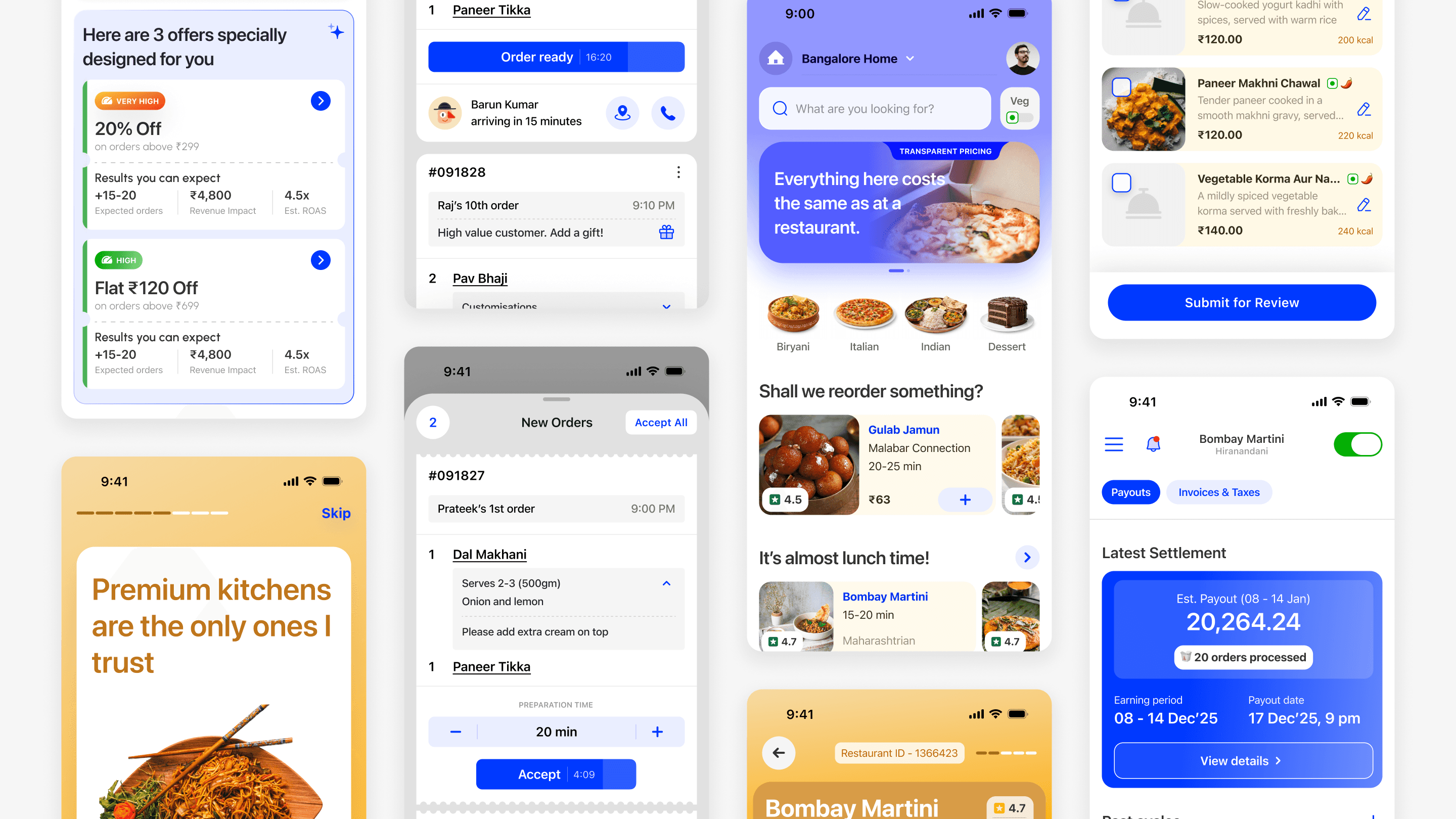
Effortless Signup with familiar way
• A restaurant owner starts with just a phone number and an OTP
• Auto-fetched OTP and signup with out any extra clicks
• Removed manual entry to reduce friction and save time
Search restaurant, skip the typing
Instead of asking owners to type out their restaurant's name, address and cuisine from scratch,
we let them search for it.
If it already exists somewhere, we fetch and pre-fill the details, automatically turning the most tedious part of onboarding into a five-second lookup instead of a form.
Smart Documentations
FSSAI license, GST, PAN, bank account proof. A food delivery platform legally can't skip these.
Rather than one long form, each document gets its own short screen: what it is, why it's needed, and a single upload action. Same checklist, just broken into pieces small enough to finish one
at a time.
Seamless menu building
FSSAI license, GST, PAN, bank account proof. A food delivery platform legally can't skip these.
Rather than one long form, each document gets its own short screen: what it is, why it's needed, and a single upload action. Same checklist, just broken into pieces small enough to finish one at a time.
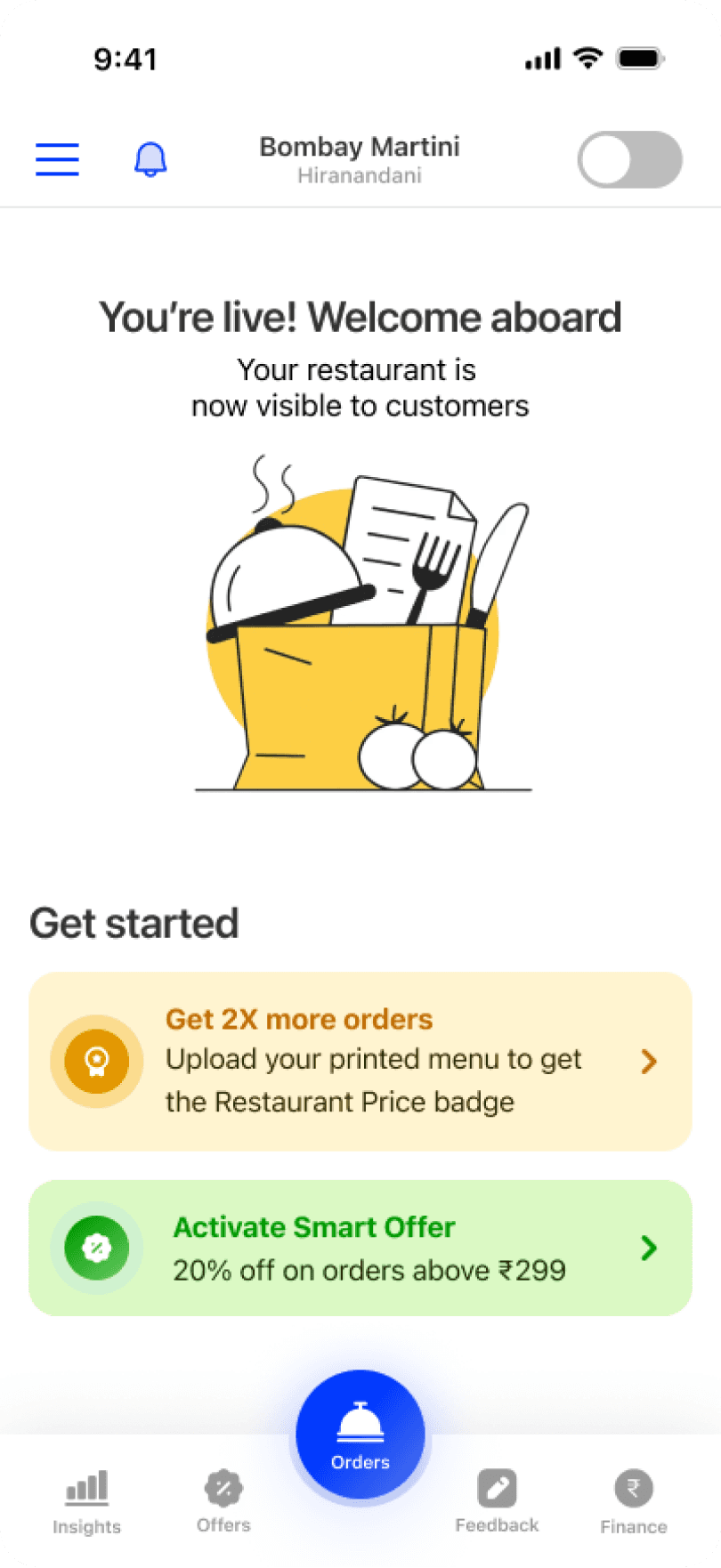
Agree, and you're live
The last step is the partner agreement: one clear summary, one checkbox, one button.
Once it's signed, the restaurant lands on its own home screen: live and ready for its first order.
Outcomes
Improved onboarding flow clarity – Streamlined the steps and reduced friction, making it easier for restaurant partners to complete onboarding.
Faster first-time onboarding – Organised the experience into clear, guided steps to help partners set up their restaurant with minimal confusion.
Scalable onboarding system – Designed a reusable and consistent onboarding framework that supports future features and business growth.
This redesign simplified a document-heavy compliance process into a guided flow, enabling restaurant partners to get onboarded and live faster with greater confidence.
This redesign simplified a document-heavy compliance process into a guided flow, enabling restaurant partners to get onboarded and live faster with greater confidence.
Food Delivery
Jio Meals
(2026)
Designed an end-to-end food ordering experience for Jio Meals, from concept to interface, as a seamless, visually immersive, and engaging product
Mobile
B2C
B2B
Role
Lead Designer
Services
UX Design | Visual Design | Design System | Prototyping
Context
Jio Meals is Reliance Jio's food-delivery platform that connects restaurants with customers. Before a restaurant can appear on the app, its owner has to prove the business is real, describe it, set up hours and a menu, and agree to the platform's terms.
Challenge
The core challenge was to craft an onboarding experience that felt smooth, interactive and easy for businesses while focusing on a modern, clean design that aligns with the product’s vision.
User Insights

Approach
I explored multiple onboarding concepts informed by the early research. My focus was on validating design directions that prioritised clarity, speed and engagement.
By simplifying key interactions, reducing cognitive load and guiding users step-by-step, I helped shape an effortless onboarding.
Goals
Instead of overwhelming restaurant partners with long forms, every screen was measured against the same four goals.
Cut manual data entry wherever the information already exists elsewhere
Surface document requirements before they block progress, not after
Keep progress visible at every stage of a long flow
Let partial completion be enough to move forward
Task FLow

Effortless Signup with familiar way
• A restaurant owner starts with just a phone number and an OTP
• Auto-fetched OTP and signup with out any extra clicks
• Removed manual entry to reduce friction and save time
Search restaurant, skip the typing
Instead of asking owners to type out their restaurant's name, address and cuisine from scratch,
we let them search for it.
If it already exists somewhere, we fetch and pre-fill the details, automatically turning the most tedious part of onboarding into a five-second lookup instead of a form.
Smart Documentations
FSSAI license, GST, PAN, bank account proof. A food delivery platform legally can't skip these.
Rather than one long form, each document gets its own short screen: what it is, why it's needed, and a single upload action. Same checklist, just broken into pieces small enough to finish one
at a time.
Seamless menu building
FSSAI license, GST, PAN, bank account proof. A food delivery platform legally can't skip these.
Rather than one long form, each document gets its own short screen: what it is, why it's needed, and a single upload action. Same checklist, just broken into pieces small enough to finish one at a time.
Agree, and you're live
The last step is the partner agreement: one clear summary, one checkbox, one button.
Once it's signed, the restaurant lands on its own home screen: live and ready for its first order.
Outcomes
Improved onboarding flow clarity – Streamlined the steps and reduced friction, making it easier for restaurant partners to complete onboarding.
Faster first-time onboarding – Organised the experience into clear, guided steps to help partners set up their restaurant with minimal confusion.
Scalable onboarding system – Designed a reusable and consistent onboarding framework that supports future features and business growth.
My focus was to
balance power with simplicity, ensuring advanced capabilities never overwhelmed the user while remaining easy to discover and use
Read Next